Definition and Types of Smart Home Devices
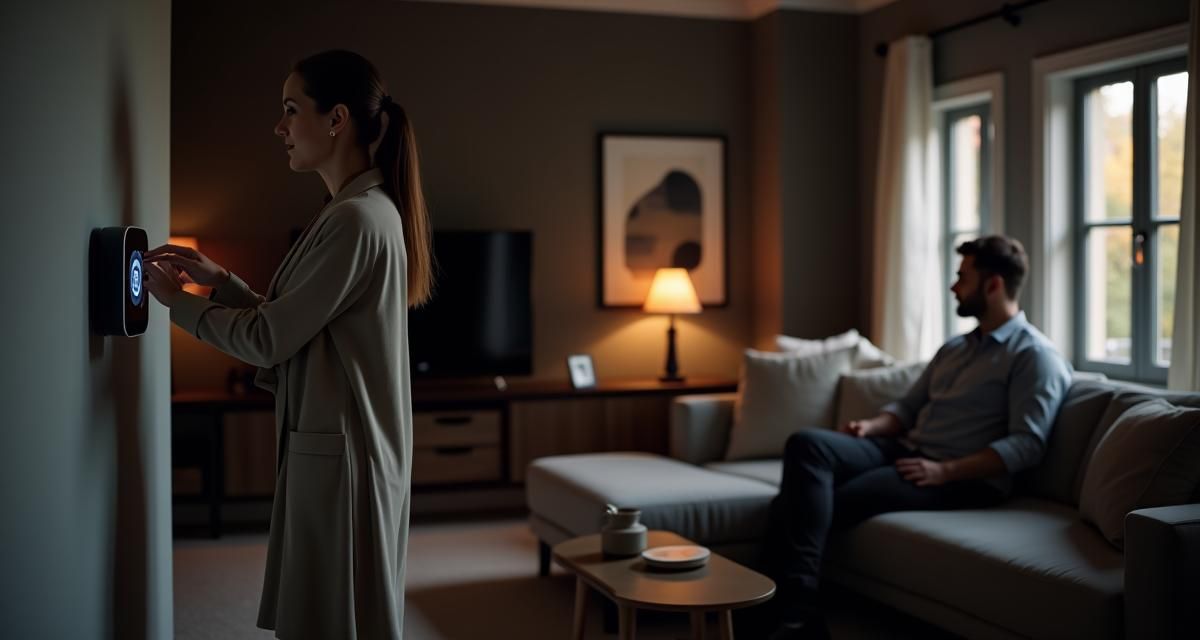
Smart home devices are internet-connected appliances and systems that allow homeowners to control and automate various aspects of their living space. These devices range from smart speakers and thermostats to security cameras and door locks. They work together to create a seamless, interconnected ecosystem that enhances comfort, convenience, and energy efficiency.
Some common types of smart home devices include:
- Smart speakers (e.g., Amazon Echo, Google Home)
- Smart thermostats
- Smart security systems
- Smart doorbells
- Smart locks
Overview of Smart Lighting Solutions

Smart lighting solutions are an integral part of the smart home ecosystem, offering users the ability to control their home’s illumination through various methods, including smartphone apps, voice commands, and automated schedules. These systems can adjust brightness, color, and even create custom lighting scenes to suit different moods or activities.
Key features of smart lighting solutions:
- Remote control via smartphone apps
- Voice control integration with virtual assistants
- Energy-efficient LED technology
- Customizable color options
- Scheduling and automation capabilities
Essential Smart Home Accessories
Smart home accessories are complementary devices that enhance the functionality of your smart home system. These accessories can range from simple smart plugs to more advanced sensors and controllers. They work in tandem with your primary smart devices to create a more comprehensive and efficient smart home setup.
Popular smart home accessories include:
- Smart plugs and power strips
- Motion sensors
- Door and window sensors
- Smart smoke detectors
- Smart water leak detectors
How Do Smart Home Systems Work?

Integration of Devices and Accessories
Smart home systems function by integrating various devices and accessories into a cohesive network. This integration allows for seamless communication between different components, enabling them to work together efficiently. For example, a smart thermostat can communicate with smart window blinds to optimize temperature control and energy efficiency.
The integration process typically involves:
- Connecting devices to a central hub or Wi-Fi network
- Setting up user accounts and preferences
- Configuring device interactions and automations
Control Methods (App, Voice, Remote)
Smart home systems offer multiple control methods to suit different user preferences and situations. The most common control methods include:
- Smartphone apps: Dedicated apps allow users to control and monitor their smart home devices from anywhere with an internet connection.
- Voice control: Virtual assistants like Amazon Alexa, Google Assistant, and Apple Siri enable hands-free control of smart home devices through voice commands.
- Remote controls: Some systems include physical remote controls for users who prefer traditional button-based interfaces.
Wireless Technologies (Wi-Fi, Zigbee, Z-Wave)
Smart home devices utilize various wireless technologies to communicate with each other and with the central hub or controller. The most common wireless protocols include:
| Technology | Range | Power Consumption | Compatibility |
| Wi-Fi | Long | High | Widespread |
| Zigbee | Short | Low | Limited |
| Z-Wave | Medium | Low | Moderate |
Each technology has its advantages and limitations, and many smart home systems support multiple protocols to ensure broad compatibility with various devices.
Top Smart Lighting Solutions for Your Home

Smart Bulbs and Their Features
Smart bulbs are one of the most popular and accessible smart lighting solutions. These LED bulbs can be controlled remotely and offer a range of features to enhance your home’s lighting experience.
Key features of smart bulbs:
- Dimmable brightness levels
- Color-changing capabilities (for some models)
- Energy efficiency monitoring
- Integration with voice assistants
- Scheduling and automation options
Smart Switches and Dimmers
Smart switches and dimmers offer a more permanent solution for controlling your home’s lighting. These devices replace traditional light switches and provide smart functionality without the need to replace existing bulbs.
Benefits of smart switches and dimmers:
- Compatibility with existing light fixtures
- Seamless integration with home decor
- Multi-way switch support
- Energy usage tracking
- Remote control and scheduling capabilities
LED Strip Lights and Accent Lighting
LED strip lights and accent lighting solutions add a touch of ambiance and style to your smart home. These versatile lighting options can be used to highlight architectural features, create mood lighting, or add a pop of color to any room.
Popular applications for LED strip lights and accent lighting:
- Under-cabinet kitchen lighting
- TV backlighting
- Stair lighting
- Closet illumination
- Outdoor landscape lighting
Essential Smart Home Accessories to Enhance Your Living Space
Smart Plugs and Outlets
Smart plugs and outlets are simple yet powerful accessories that can turn any standard electrical device into a smart, controllable appliance. These devices plug into existing outlets and allow you to control connected appliances remotely or set up automated schedules.
Use cases for smart plugs and outlets:
- Controlling lamps and lighting fixtures
- Managing small appliances (e.g., coffee makers, fans)
- Monitoring energy consumption of connected devices
- Creating custom schedules for device operation
Motion Sensors and Detectors
Motion sensors and detectors are crucial components of a smart home security system. These devices can trigger alerts, activate lights, or initiate other automated actions when movement is detected in specific areas of your home.
Applications for motion sensors and detectors:
- Automated lighting control
- Intruder detection and alerts
- Energy-saving occupancy sensing
- Pet monitoring and activity tracking
Smart Thermostats and Climate Control
Smart thermostats offer advanced temperature control and energy management features for your home. These devices learn your preferences and habits to optimize heating and cooling schedules, potentially reducing energy consumption and costs.
Key features of smart thermostats:
- Remote temperature control via smartphone apps
- Learning algorithms for automated scheduling
- Energy usage reports and recommendations
- Integration with other smart home devices
- Multi-zone temperature control (for some models)
Designing a Smart Home System with Elan Bazaar Products
Choosing the Right Smart Home Hub
Selecting the appropriate smart home hub is crucial for creating a cohesive and efficient smart home system. Elan Bazaar offers a range of compatible hubs that can serve as the central control point for your smart devices.
Factors to consider when choosing a smart home hub:
- Compatibility with your existing devices
- Supported wireless protocols (Wi-Fi, Zigbee, Z-Wave)
- User interface and ease of use
- Integration with popular voice assistants
- Expandability and future-proofing capabilities
Selecting Compatible Devices and Accessories
When building your smart home system, it’s essential to choose devices and accessories that are compatible with your chosen hub and each other. Elan Bazaar provides a wide selection of smart home products that work seamlessly together, ensuring a smooth and integrated experience.
Tips for selecting compatible devices:
- Check for compatibility with your chosen hub
- Look for devices that support common protocols (e.g., Wi-Fi, Zigbee)
- Consider devices from the same manufacturer for guaranteed compatibility
- Read user reviews and expert recommendations
Creating Custom Scenes and Automations
One of the most powerful features of a smart home system is the ability to create custom scenes and automations. These allow you to control multiple devices simultaneously or trigger specific actions based on certain conditions.
Examples of custom scenes and automations:
- “Movie Night” scene: Dims lights, lowers blinds, and turns on the TV
- “Good Morning” routine: Gradually increases light brightness, adjusts thermostat, and starts the coffee maker
- Security automation: Activates lights and cameras when motion is detected outside
- Energy-saving automation: Turns off lights and adjusts thermostat when no one is home
What are the benefits of using smart home devices?
Energy Efficiency and Cost Savings
Smart home devices can significantly contribute to energy efficiency and cost savings. By automating and optimizing energy usage, these devices help reduce waste and lower utility bills. According to the U.S. Energy Information Administration, smart home devices can reduce energy consumption by up to 15% in residential buildings.
Smart thermostats, in particular, can learn your heating and cooling preferences and adjust accordingly, potentially saving up to 10-15% on heating and cooling costs. Additionally, smart lighting systems with occupancy sensors and scheduling capabilities can ensure lights are only on when needed, further reducing energy waste.
Convenience and Time-Saving Features
One of the primary benefits of smart home devices is the convenience they offer. With the ability to control various aspects of your home remotely or through voice commands, smart devices can save time and simplify daily tasks. For example, you can use voice commands to adjust lighting, set reminders, or even start your coffee maker without lifting a finger.
Smart home devices also enable you to create automated routines that handle multiple tasks simultaneously. This can include setting up a “leaving home” routine that turns off lights, adjusts the thermostat, and arms the security system with a single command or tap on your smartphone.
Enhanced Home Security and Safety
Smart home devices play a crucial role in enhancing home security and safety. Smart security cameras, doorbell cameras, and smart locks provide real-time monitoring and control over your home’s access points. These devices can send alerts to your smartphone when unusual activity is detected, allowing you to take immediate action if necessary.
Additionally, smart smoke detectors and carbon monoxide sensors can provide early warnings and alert you even when you’re away from home. Some smart home systems can also integrate with professional monitoring services for added peace of mind.
How can I set up a smart lighting system in my home?
Planning Your Smart Lighting Layout
To set up a smart lighting system in your home, start by assessing your current lighting setup and identifying areas where smart lighting would be most beneficial. Consider factors such as room usage, natural light sources, and existing fixtures. Create a plan that outlines which rooms or areas will receive smart lighting and what type of smart lighting solutions (e.g., bulbs, switches, or strips) would work best in each location.
Next, determine the features you want in your smart lighting system, such as color-changing capabilities, dimming options, or integration with other smart home devices. This will help you choose the right products and ensure compatibility with your overall smart home ecosystem.
Installing Smart Bulbs and Switches
Once you have a plan in place, begin installing your smart lighting components. For smart bulbs, simply replace your existing bulbs with the new smart versions. Ensure that the smart bulbs are compatible with your existing fixtures and that they have a clear connection to your home’s Wi-Fi network or smart hub.
For smart switches, you may need to replace your existing wall switches. This process typically involves turning off the power to the circuit, removing the old switch, and wiring the new smart switch according to the manufacturer’s instructions. If you’re not comfortable with electrical work, it’s best to hire a professional electrician to ensure proper installation and safety.
Configuring Lighting Scenes and Schedules
After installing your smart lighting components, use the manufacturer’s app or your smart home hub’s interface to set up and configure your devices. This typically involves connecting the devices to your Wi-Fi network or hub, naming them, and assigning them to specific rooms or groups.
Once your devices are connected, you can create custom lighting scenes and schedules. Lighting scenes allow you to set specific brightness levels and colors for different activities or moods, such as a “relaxation” scene with dim, warm lighting for the evening. Schedules can automate your lighting based on time of day, sunrise/sunset, or other triggers, helping to save energy and enhance convenience.
What are the most popular smart home accessories for beginners?
Entry-Level Smart Home Starter Kits
For those new to smart home technology, starter kits offer an excellent way to begin building a connected home. These kits typically include a smart hub and a selection of basic smart devices, providing a foundation for future expansion. Popular entry-level smart home starter kits often include:
- A smart speaker with voice assistant capabilities
- Smart bulbs or light strips
- Smart plugs
- Door/window sensors
These kits are designed to be user-friendly and easy to set up, making them ideal for beginners who want to experience the benefits of smart home technology without feeling overwhelmed.
Budget-Friendly Smart Home Devices
There are numerous affordable smart home devices available that offer great functionality without breaking the bank. Some popular budget-friendly options include:
- Smart plugs: These inexpensive devices can turn any appliance into a smart device, allowing for remote control and scheduling.
- Wi-Fi-enabled smart bulbs: Many manufacturers offer affordable smart bulbs that can be controlled via smartphone apps or voice commands.
- Smart speakers: Entry-level smart speakers from brands like Amazon and Google provide voice control capabilities at accessible price points.
- Motion sensors: These versatile devices can be used for lighting control, security, or energy management applications.
Easy-to-Install Smart Home Accessories
For beginners, it’s important to choose smart home accessories that are easy to install and configure. Some popular options that require minimal setup include:
- Plug-and-play smart cameras: These devices can be easily placed on shelves or mounted on walls and connected to your Wi-Fi network for instant home monitoring.
- Battery-powered door/window sensors: These sensors can be quickly attached to doors and windows without any wiring, providing instant security notifications.
- Smart thermostats with guided installation: Many modern smart thermostats offer step-by-step installation guides through their companion apps, making the process more accessible for DIY enthusiasts.
By starting with these user-friendly devices, beginners can gradually build their smart home system and gain confidence in managing and expanding their connected home ecosystem.
How do smart home devices improve energy efficiency?
Automated Energy Management
Smart home devices contribute significantly to energy efficiency through automated energy management. These systems can learn your habits and preferences, automatically adjusting settings to optimize energy use without sacrificing comfort. For example, smart thermostats can create heating and cooling schedules based on your daily routines, ensuring that energy isn’t wasted when you’re away or asleep.
Additionally, smart lighting systems can use occupancy sensors and scheduling to ensure lights are only on when needed. Some advanced systems can even adjust lighting based on the amount of natural light available, further reducing unnecessary energy consumption.
Real-Time Energy Monitoring
Many smart home devices offer real-time energy monitoring capabilities, allowing homeowners to track their energy usage and identify areas for improvement. Smart plugs and energy monitors can provide detailed information about the power consumption of individual appliances, helping users make informed decisions about their energy use.
This real-time data can be accessed through smartphone apps or web interfaces, making it easy for homeowners to stay informed about their energy consumption patterns. Some systems even provide personalized recommendations for reducing energy waste based on the collected data.
Integration with Renewable Energy Systems
Smart home devices can also integrate with renewable energy systems, such as solar panels or wind turbines, to maximize the use of clean energy. These integrated systems can automatically prioritize the use of renewable energy when it’s available and switch to grid power when necessary.
For example, a smart home system connected to solar panels can schedule energy-intensive tasks, like running the dishwasher or charging an electric vehicle, during peak solar production hours. This integration helps homeowners make the most of their renewable energy investments and further reduce their reliance on grid power.
What are the latest trends in smart home technology?
AI-Powered Smart Home Assistants
Artificial Intelligence (AI) is playing an increasingly important role in smart home technology. AI-powered smart home assistants are becoming more sophisticated, offering advanced natural language processing and machine learning capabilities. These assistants can understand complex commands, learn user preferences, and even anticipate needs based on patterns and behaviors.
Some of the latest developments in AI-powered smart home assistants include:
- Improved contextual understanding for more natural conversations
- Personalized recommendations based on user habits and preferences
- Enhanced multi-user support with voice recognition
- Integration with a wider range of smart home devices and services
Biometric Security Features
Biometric security features are becoming more prevalent in smart home devices, offering enhanced security and convenience. These features use unique biological characteristics, such as fingerprints, facial recognition, or voice patterns, to authenticate users and control access to smart home systems.
Examples of biometric security features in smart home technology include:
- Fingerprint-enabled smart locks
- Facial recognition cameras for personalized home automation
- Voice recognition for secure access to smart home controls
- Retina scanning for high-security areas within the home
Sustainable and Eco-Friendly Smart Devices
As environmental concerns continue to grow, there’s an increasing focus on sustainable and eco-friendly smart home devices. Manufacturers are developing products that not only help reduce energy consumption but also use sustainable materials and manufacturing processes.
Some trends in sustainable smart home technology include:
- Energy-harvesting sensors that generate their own power
- Smart appliances with advanced energy-saving features
- Recycled and biodegradable materials in device construction
- Smart water management systems to reduce water waste
These eco-friendly innovations help homeowners reduce their environmental impact while enjoying the benefits of smart home technology.
How can I integrate smart lighting solutions with other smart home devices?
Creating a Unified Smart Home Ecosystem
To integrate smart lighting solutions with other smart home devices, focus on creating a unified ecosystem. Start by choosing a central smart home platform or hub that supports a wide range of devices and protocols. Popular options include Amazon Alexa, Google Home, Apple HomeKit, and Samsung SmartThings.
Ensure that your smart lighting products are compatible with your chosen platform. Many manufacturers offer compatibility information on their product pages or websites. Once you’ve confirmed compatibility, follow these steps:
- Connect all your smart devices to the same Wi-Fi network or hub
- Use the platform’s app to discover and add your smart lighting devices
- Organize your devices into rooms or zones for easier management
- Create routines or scenes that combine lighting controls with other smart home actions
Using IFTTT for Device Integration
IFTTT (If This Then That) is a powerful web-based service that allows you to create custom automations between different smart home devices and services. You can use IFTTT to integrate your smart lighting solutions with other devices, even if they don’t natively support each other.
To use IFTTT for smart home integration:
- Create an IFTTT account and connect your smart home devices and services
- Browse existing applets or create your own custom automations
- Set up triggers and actions that involve your smart lighting and other devices
Example IFTTT integrations for smart lighting:
- Turn on lights when your smart doorbell detects motion
- Change light color based on weather conditions
- Adjust lighting when your smart thermostat enters energy-saving mode
Voice Control Across Multiple Devices
Voice control is an excellent way to integrate smart lighting with other smart home devices seamlessly. Most major smart home platforms offer voice assistants that can control multiple devices through a single command.
To set up voice control across multiple devices:
- Ensure all your smart devices are connected to the same voice assistant platform
- Create device groups or rooms in your voice assistant app
- Set up custom voice commands or routines that involve multiple devices
Example voice commands for integrated smart lighting:
- “Hey Google, set the living room to movie mode” (dims lights, lowers blinds, turns on TV)
- “Alexa, good morning” (gradually increases light brightness, starts coffee maker, reads news)
- “Siri, I’m leaving” (turns off all lights, adjusts thermostat, arms security system)
By following these integration methods, you can create a cohesive smart home experience that seamlessly combines your smart lighting solutions with other devices and systems.
What are the best smart home devices for apartment living?
Space-Saving Smart Home Solutions
For apartment dwellers, space-saving smart home solutions are essential. These devices offer powerful functionality without taking up valuable real estate in smaller living spaces. Some excellent space-saving smart home options include:
- Multi-functional smart speakers: Devices like the Amazon Echo Show or Google Nest Hub combine voice assistant capabilities with a display for video calls, recipe instructions, and smart home control.
- Smart power strips: These compact devices can control multiple appliances while taking up minimal space.
- Wall-mounted smart displays: These sleek devices can serve as digital photo frames, smart home control panels, and information hubs without cluttering surfaces.
- In-wall smart outlets: Replace existing outlets with smart versions to add control and monitoring capabilities without adding bulk.
Renter-Friendly Smart Home Accessories
Many apartment renters face limitations on modifying their living spaces. Fortunately, there are numerous renter-friendly smart home accessories that don’t require permanent installation:
- Smart bulbs: These can be easily swapped out for existing bulbs and removed when moving.
- Portable smart speakers: Devices like the Amazon Echo Dot or Google Nest Mini can be easily moved from room to room or to a new apartment.
- Battery-powered smart sensors: Door/window sensors and motion detectors that don’t require wiring are ideal for renters.
- Smart plugs: These devices can add smart functionality to existing appliances without any modifications.
Portable Smart Devices for Small Spaces
Portability is key for smart devices in small apartments. These versatile gadgets can be moved around as needed to maximize functionality in limited space:
- Portable smart air purifiers: These devices can be moved between rooms to improve air quality where it’s needed most.
- Smart robot vacuums: Compact and self-charging, these devices can keep floors clean without taking up storage space.
- Portable smart projectors: Transform any wall into a large display for entertainment or video calls, eliminating the need for a bulky TV.
- Smart indoor gardens: Compact hydroponic systems with built-in lighting and app control allow for fresh herbs and small vegetables in even the tiniest apartments.
By choosing space-saving, renter-friendly, and portable smart devices, apartment dwellers can enjoy the benefits of smart home technology without compromising their living space or lease agreements.
How do smart home accessories enhance home security?
Smart Cameras and Video Doorbells
Smart cameras and video doorbells are essential components of a modern home security system. These devices provide real-time video monitoring and recording capabilities, allowing homeowners to keep an eye on their property from anywhere using their smartphones.
Key features of smart cameras and video doorbells:
- Motion detection alerts
- Two-way audio communication
- Night vision capabilities
- Cloud storage for recorded footage
- Integration with other smart home devices
Smart cameras can be placed both indoors and outdoors to monitor different areas of your property. Video doorbells, installed at the front door, allow you to see and speak with visitors without opening the door, enhancing both convenience and security.
Smart Locks and Access Control
Smart locks offer advanced security features and convenient access control for your home. These devices replace traditional locks with electronic mechanisms that can be controlled remotely via smartphone apps or voice commands.
Benefits of smart locks:
- Keyless entry using PIN codes, smartphone apps, or biometric authentication
- Temporary access codes for guests or service providers
- Activity logs to track who enters and exits your home
- Integration with other smart home devices for automated security routines
- Remote locking and unlocking capabilities
Some smart locks also offer features like auto-locking after a set period and geofencing, which can automatically lock or unlock the door based on your smartphone’s location.
Automated Lighting for Security
Smart lighting solutions can play a crucial role in enhancing home security. By automating your home’s lighting, you can create the illusion of occupancy when you’re away and deter potential intruders.
Security-enhancing features of automated lighting:
- Scheduled lighting routines to simulate occupancy
- Motion-activated outdoor lighting to illuminate potential threats
- Integration with smart cameras and alarms for synchronized security responses
- Remote control of lights via smartphone apps
- Randomized lighting patterns to make automated routines less predictable
According to a study by the University of North Carolina at Charlotte, 60% of burglars said they would avoid a home if they saw signs of smart home security systems, including automated lighting.
By combining these smart home accessories, homeowners can create a comprehensive and effective security system that provides peace of mind and protection for their property and loved ones.
What are the most innovative smart lighting solutions on the market?
Color-Changing Smart Bulbs
Color-changing smart bulbs represent one of the most innovative and versatile smart lighting solutions available. These bulbs offer millions of color options and can be controlled via smartphone apps or voice commands. Some advanced features of color-changing smart bulbs include:
- Customizable color temperatures for different activities (e.g., warm for relaxation, cool for productivity)
- Syncing with music or movies for immersive entertainment experiences
- Gradual wake-up lighting that mimics natural sunlight
- Integration with smart home routines for automated color changes based on time of day or events
Popular brands offering innovative color-changing smart bulbs include Philips Hue, LIFX, and Nanoleaf.
Adaptive Lighting Technologies
Adaptive lighting technologies use advanced sensors and algorithms to automatically adjust lighting based on various factors, creating optimal illumination for different situations. Some cutting-edge adaptive lighting features include:
- Circadian rhythm lighting that adjusts color temperature throughout the day to support natural sleep-wake cycles
- Occupancy-based lighting that automatically adjusts brightness and color based on room usage and number of occupants
- Daylight harvesting systems that balance artificial and natural light to maintain consistent illumination while saving energy
- Mood-responsive lighting that adapts to users’ emotional states or activities
Companies like Lutron and Ketra are at the forefront of adaptive lighting technologies, offering sophisticated solutions for both residential and commercial applications.
Smart Outdoor Lighting Options
Innovative smart outdoor lighting solutions are enhancing both the aesthetics and functionality of exterior spaces. Some advanced features of smart outdoor lighting include:
- Solar-powered smart lights with integrated batteries for energy-efficient illumination
- Weather-resistant smart floodlights with built-in cameras and motion sensors for enhanced security
- Pathway lights with customizable colors and patterns for creative landscape design
- Smart string lights with app-controlled effects for festive outdoor entertaining
- Automated landscape lighting that adjusts based on sunset/sunrise times or weather conditions
Brands like Ring, Philips Hue Outdoor, and LIFX are leading the way in smart outdoor lighting innovations, offering a wide range of products to suit various outdoor lighting needs.
How can I troubleshoot common issues with smart home devices?
Connectivity Troubleshooting
Connectivity issues are among the most common problems with smart home devices. To troubleshoot connectivity problems, follow these steps:
- Check your Wi-Fi network: Ensure your router is functioning correctly and that the device is within range.
- Restart the device: Often, a simple power cycle can resolve connectivity issues.
- Update firmware: Make sure your device’s firmware is up to date, as outdated software can cause connectivity problems.
- Check for interference: Other electronic devices or physical obstacles can interfere with Wi-Fi signals.
- Reset network settings: If all else fails, try resetting the device’s network settings and reconnecting it to your Wi-Fi network.
Device Pairing and Reset Procedures
When experiencing difficulties pairing a new device or need to reset an existing one, follow these general guidelines:
- Consult the user manual: Each device has specific pairing and reset procedures, so refer to the manufacturer’s instructions.
- Ensure compatibility: Verify that the device is compatible with your smart home hub or ecosystem.
- Follow pairing mode instructions: Most devices have a specific sequence to enter pairing mode, often involving pressing a button for a set duration.
- Factory reset: If you’re having persistent issues, perform a factory reset on the device and start the setup process from scratch.
- Check for app updates: Ensure you’re using the latest version of the device’s companion app, as outdated apps can cause pairing issues.
Updating Firmware and Software
Keeping your smart home devices’ firmware and software up to date is crucial for optimal performance and security. To manage updates effectively:
- Enable automatic updates: When possible, configure your devices to update automatically to ensure you always have the latest features and security patches.
- Check for updates regularly: If automatic updates aren’t available, make it a habit to check for updates manually on a regular basis.
- Update companion apps: Keep the smartphone apps associated with your smart devices up to date, as these often include important bug fixes and new features.
- Follow update instructions carefully: Some firmware updates may require specific steps or precautions, so always read and follow the manufacturer’s instructions.
- Be patient: Firmware updates can sometimes take several minutes to complete. Avoid interrupting the process, as this can cause device malfunctions.
By following these troubleshooting steps and maintaining your devices properly, you can ensure a smoother and more reliable smart home experience.
What are the best smart home devices for apartment living?
Smart home devices for apartment living need to be compact, easy to install, and often portable. Here are some of the best options for apartment dwellers:
- Smart speakers like Amazon Echo or Google Nest Mini offer voice control and serve as a hub for other smart devices.
- Smart plugs can turn any appliance into a smart device without permanent installation.
- Wireless security cameras, such as the Arlo Pro or Wyze Cam, provide security without drilling holes.
- Smart thermostats like the Nest Learning Thermostat or ecobee SmartThermostat can help save energy and improve comfort.
- Portable smart lights, including options from Philips Hue or LIFX, can be easily moved and don’t require permanent fixtures.
These devices offer functionality without compromising space or requiring major modifications, making them ideal for apartment living.
How do smart home accessories enhance home security?
Smart home accessories significantly enhance home security by providing real-time monitoring, remote access, and automated responses to potential threats. Smart cameras and video doorbells allow homeowners to see who’s at their door or monitor their property from anywhere using their smartphones. These devices often include features like motion detection, two-way audio, and night vision capabilities.
Smart locks offer keyless entry and the ability to grant temporary access to guests or service providers. They can also integrate with other smart home devices to create comprehensive security routines. Automated lighting solutions can deter intruders by simulating occupancy when you’re away, while smart sensors can detect unauthorized entry and trigger alerts or alarms.
What are the most innovative smart lighting solutions on the market?
The smart lighting market is constantly evolving, with new and innovative solutions emerging regularly. Some of the most cutting-edge options include:
- Adaptive lighting systems that adjust color temperature and brightness based on time of day and natural light levels.
- Color-changing smart bulbs with millions of color options and the ability to sync with music or movies.
- Smart outdoor lighting with integrated security features like cameras and motion sensors.
- Modular lighting panels that allow for customizable designs and patterns.
- Li-Fi technology, which uses light waves to transmit data, potentially offering faster and more secure wireless connections.
These innovative solutions not only provide illumination but also enhance the overall smart home experience with advanced features and integration capabilities.
How can I troubleshoot common issues with smart home devices?
When troubleshooting smart home devices, start by checking the basics: ensure the device is powered on and connected to your Wi-Fi network. If connectivity issues persist, try restarting both the device and your router. For more specific problems, consult the device’s user manual or the manufacturer’s support website for detailed troubleshooting steps.
If you’re having trouble pairing a new device, make sure it’s in pairing mode and that your smartphone or hub is nearby. Sometimes, resetting the device to factory settings and starting the setup process from scratch can resolve persistent issues. Keeping your devices’ firmware and associated apps up to date is also crucial for optimal performance and security.